
What are the best methods to play Roblox in school?
You can play Roblox in school by using the game site Cloudmoon to access games directly in your web browser or trying school unblocker proxies. You can also try playing Roblox without the Play Store by using Sober, which creates a specialized runtime just for Roblox’s code, ensuring compatibility and performance through a Linux package that runs on our Chromebook.
- Play Roblox With Cloudmoon
- Play Roblox With School Unblocker Proxies
- Play Roblox Without Play Store (Sober)
How to Play Roblox on School Chromebooks
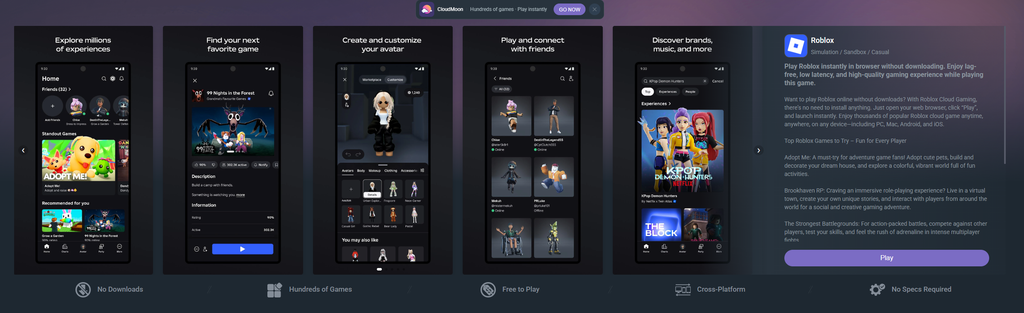
Use Cloudmoon: Start by visiting Cloudmoon, by clicking the link available here. Once you’re on the website, use the search bar at the top to find “Roblox,” click “Play,” and you should be able to launch Roblox directly in your web browser. This site also allows you to play a wide range of popular mobile games. That’s not the only method though, and we cover more later in the blog.
What if Cloudmoon doesn’t work?
While Cloudmoon is great, it’s unfortunately not the best option if you don’t want to run into playtime limits or play a laggier version of mobile Roblox. It can also be automatically pre-blocked a lot by school networks already. Which is why we recommend trying out unblocker proxies next.
Best School Unblocker Proxy Sites
Alternative Unblocker Proxy Sites: If Cloudmoon is blocked by your school’s network, don’t worry. We’ve included links to several alternative unblocker proxy sites. Try them through our proxies blog (we recommend bookmarking this page too, we update it very often):
Play Roblox on a Chromebook Without Play Store (Using Sober)
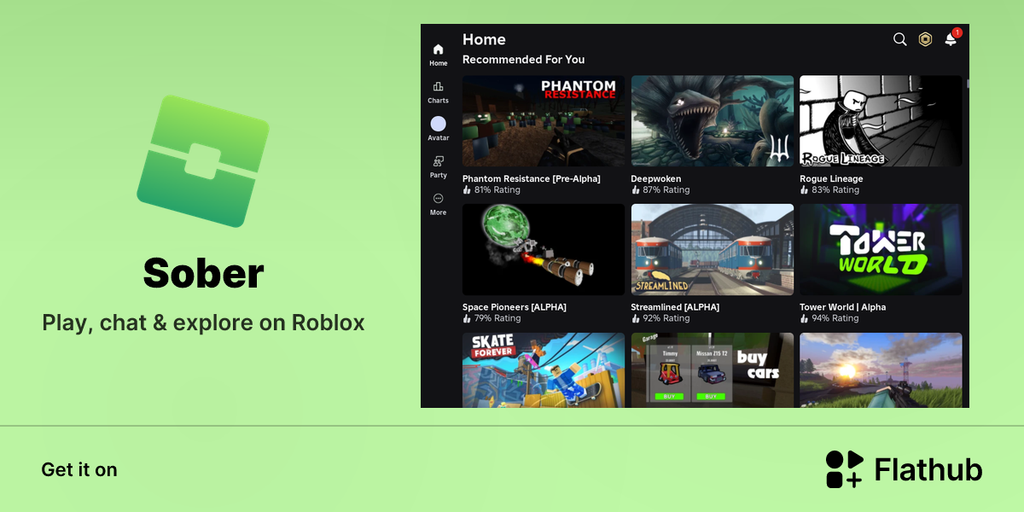
If your Chromebook doesn’t have access to the Google Play Store or you just want a faster, more flexible way to play, there’s a great workaround using a community-made tool called Sober. This method lets you natively run the Android version of Roblox through a Linux package, right on your Chromebook.
Why Use This Method?
This approach has a few standout advantages over other workarounds:
- No play time limits
- Runs noticeably faster than other methods
- No developer mode required
It does require enabling the Linux development environment, but that’s a much lighter lift than full developer mode.
Step 1: Turn On Linux Development Environment
- Open Settings on your Chromebook.
- Search for the Advanced section.
- Click Developers.
- Find Linux development environment and turn it on.
If the toggle is greyed out, you may need admin permission to enable it (common on school or work-managed Chromebooks).
Turning this on sets up a Debian container on your device — this is what will actually run Sober.
Step 2: Install Flatpak
Flatpak is a package manager for Linux that we’ll use to find and install Sober. Open the Linux terminal and run the following commands exactly as shown. You can also copy-paste these straight from this post to avoid typos.
1. Update your Linux container:
bash
sudo apt update2. Install Flatpak:
bash
sudo apt install flatpak3. Add the Flathub repository:
bash
flatpak remote-add --if-not-exists flathub https://flathub.org/repo/flathub.flatpakrepo4. Install Sober:
bash
flatpak install flathub org.vinegarhq.soberMake sure each command finishes running before moving on to the next one.
Step 3: Launch Roblox
Once installation is complete, you can launch Sober (your Roblox client) any time with:
bash
flatpak run org.vinegarhq.soberThat’s it! You’re ready to play.
Troubleshooting
If something doesn’t work as expected, check our other suggestions below, or watch our follow-up video for more ways to get around Chromebook restrictions.
FAQ
1. Why is Roblox blocked on school?
Schools often block access to gaming sites like Roblox to minimize distractions and keep students focused on their studies. These restrictions are usually enforced through network filters and firewalls.
2. Are unblocker proxy sites safe to use on school networks?
While unblocker proxy sites can help bypass restrictions, they can sometimes pose security risks. It’s essential to use trusted sites to avoid exposing personal information or downloading harmful software.
3. What should I do if all the methods to play Roblox are blocked?
If all the methods are blocked, consider using different networks or accessing the sites from home. Joining communities like the Doge Unblocker Discord server can also provide more resources and help.
4. Can I face consequences for playing Roblox on a school Chromebook?
Yes, using methods to bypass school network restrictions can violate school policies, potentially leading to disciplinary action. Always be mindful of your school’s rules when trying to access restricted sites.
5. Are there any other ways to play games on a school Chromebook?
Yes, besides using unblockers, you can look for browser-based games that are not blocked by the school’s network. Some educational websites also offer games that can be played during free time without violating school policies.
By following these tips and exploring the methods provided, you can enjoy Roblox on your school Chromebook while staying within the boundaries set by your school.