Can You Really Make a Roblox Game on Mobile?
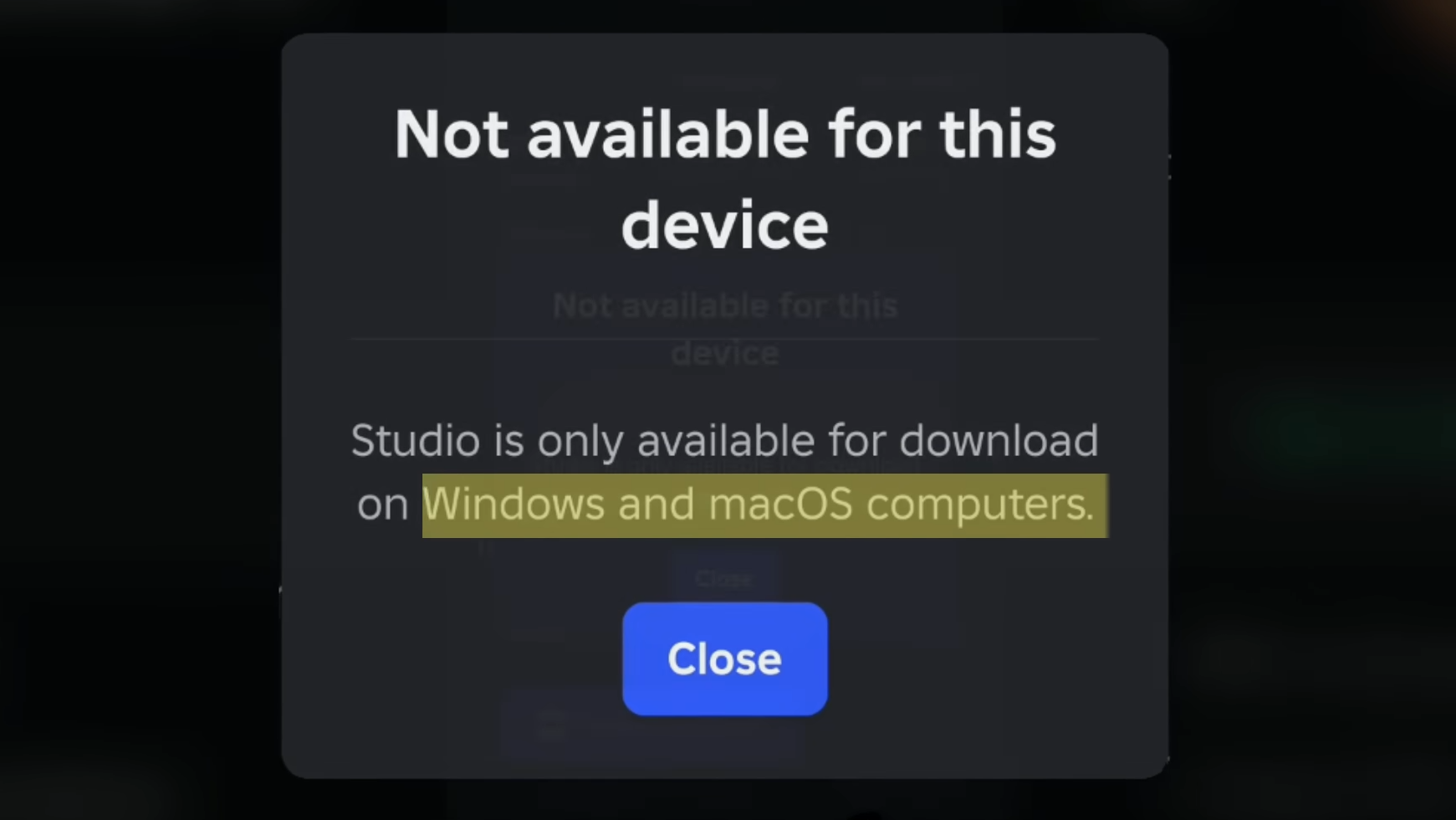
If you’ve ever wondered whether it’s possible to create a Roblox game without a computer, the answer in 2026 is surprisingly encouraging. Many players want to design their own experiences but only have access to a smartphone or tablet. Traditionally, Roblox Studio has only been available for PC or Mac, which makes it seem impossible to develop games on mobile devices.
However, there are several clever workarounds that allow you to build, publish, and manage a Roblox game entirely from your phone. While these methods may not be as smooth as working on a full computer setup, they still provide powerful tools to bring your ideas to life.
In this guide on How To MAKE a ROBLOX GAME on MOBILE (2026), you’ll learn:
- How to plan a Roblox game idea
- The tools that allow mobile development
- How to publish your game using API keys
- Tips for earning Robux from your game
By the end, you’ll understand the full process of creating and launching a Roblox experience directly from your mobile device.
Why Many Roblox Developers Want Mobile Game Creation
Accessibility for New Creators
Not everyone has access to a computer capable of running Roblox Studio. Many players rely entirely on smartphones for gaming and creativity. Mobile game creation removes this barrier and allows more people to become developers.
Growing Mobile Gaming Community
A huge percentage of Roblox users play on mobile devices. This means mobile creators can design games specifically optimized for touch controls and mobile gameplay.
Learning Game Development Early
Creating games on mobile can also help younger developers learn game design, logic, and creativity without needing expensive equipment.
Step 1: Start With a Simple Game Plan
Before opening any development tools, you need a clear plan for your game.
Many new developers jump into building without preparation. This often leads to frustration and unfinished projects. Planning helps you stay focused and organized.
What to Write in Your Game Plan
Open a notes app or a document on your phone and write down:
- Game idea – Keep it simple
- Game title – Something catchy and easy to remember
- Gameplay mechanics – What players will actually do
- Monetization plan – How the game might earn Robux
- Thumbnail concept – The image players will see
Your plan doesn’t need to be perfect. It just gives you direction once you start building.
Step 2: Open the Roblox Creator Hub on Mobile
Even though Roblox Studio isn’t available on phones, Roblox still allows creators to manage games through the Creator Hub.
How to Access Creator Hub
- Open the Roblox app
- Tap More
- Scroll down and tap Create
- Open Creator Hub
Inside Creator Hub you can:
- Manage your experiences
- Edit game settings
- Track analytics and earnings
- Publish updates
Roblox often provides a starter experience, which is perfect for beginners.
Step 3: Understanding the Limitations of Roblox Studio on Mobile
Roblox Studio is officially designed for desktop computers. When you attempt to download it from a phone, Roblox will usually tell you that it only works on PC or Mac.
While this is technically true, it doesn’t mean mobile users are completely locked out.
Instead, developers have discovered alternative methods that allow mobile users to access similar tools.
Step 4: Using a Virtual Computer on Your Phone
One method for building Roblox games on mobile is using a virtual computer service.
What Is a Virtual Machine?
A virtual machine is essentially a computer that runs inside your web browser. It allows you to access Windows remotely from your phone.
Using AppOnFly
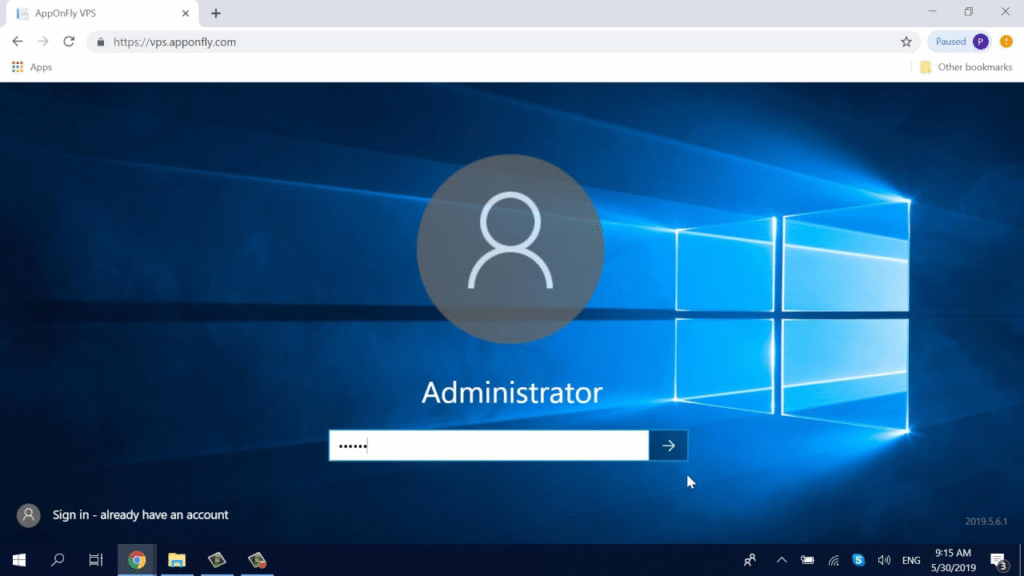
A popular option is AppOnFly, which provides a cloud-based Windows desktop.
With this service you can:
- Open a virtual Windows computer
- Launch a web browser inside it
- Download Roblox Studio
- Start building your game
Advantages of This Method
- Access to the real Roblox Studio
- Full development tools
- Works entirely through your browser
Limitations
- The free version has time limits
- Controls can feel awkward on touch screens
- Performance may not be smooth
Because of these limitations, this method is usually best for short development sessions or testing ideas.
Step 5: The Best Mobile-Friendly Option – Studio Lite
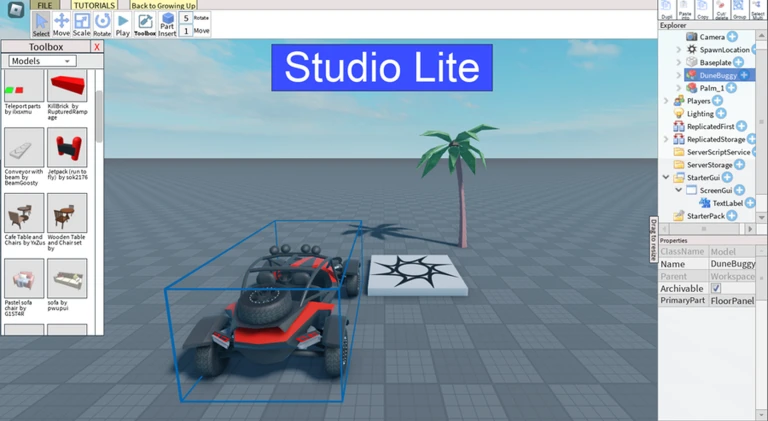
One of the most underrated tools for mobile Roblox development is Studio Lite.
Studio Lite is actually a Roblox experience that acts like a simplified version of Roblox Studio designed for mobile devices.
How to Find Studio Lite
- Open the Roblox app
- Use the search bar
- Type Studio Lite
- Select In Experiences
Once you join, you’ll enter a mobile-friendly building environment.
Game Link: https://www.roblox.com/games/10959918411/Studio-Lite
Features Inside Studio Lite
Studio Lite includes several helpful tools:
- Mobile optimized building controls
- Free models library
- Beginner scripting help
- Game templates
These features make it much easier for mobile users to build games without struggling with desktop controls.
Step 6: Creating Your Game Environment
Once inside Studio Lite, you can begin building your world.
Basic Building Tools
You’ll have access to tools that allow you to:
- Place blocks and structures
- Add objects and decorations
- Import free models
- Adjust lighting and environment settings
Tips for Beginners
Start with something simple like:
- Obby (obstacle course)
- Tycoon game
- Small adventure map
Simple games are easier to complete and publish.
Step 7: Understanding API Keys for Publishing
To publish games from Studio Lite to your Roblox profile, you’ll need something called an API key.
This sounds technical, but it’s actually very simple.
What Is an API Key?
An API key is like a permission pass that tells Roblox:
“This tool is allowed to upload games to my account.”
Without this key, Studio Lite cannot publish games directly to your Roblox experiences.
Step 8: How to Generate an API Key
Follow these steps carefully to generate your key.
1. Go to Creator Tools
Open the Roblox app and navigate to:
Create → Creator Hub
2. Open Cloud Settings
Find and select:
Open Cloud → API Keys
3. Create a New API Key
Tap Create API Key and give it a recognizable name, such as:
- Studio Lite Publish
- Mobile Game Upload
4. Set Permissions
Under Access Permissions, add:
- universe-places API system
- Select your starter experience
- Enable write access
Then repeat the same process for:
- universe API system
- Enable write permissions
5. Configure Security Settings
In the security section, enter:
0.0.0.0/0
This allows Studio Lite to access your API key from any location.
6. Generate and Copy the Key
After saving your settings:
- Click Generate Key
- Copy the key immediately
- Store it safely in your notes app
Roblox only shows the key once.
Step 9: Publishing Your Game From Mobile
Now that you have your API key, you can publish your game.
Publishing Steps
- Open Studio Lite
- Go to the Publish page
- Paste your API key
- Select your experience
- Confirm the upload
Before publishing, check that:
- You’re logged into the correct Roblox account
- The correct experience is selected
- Your API key is pasted correctly
- Your game is saved
Once everything is confirmed, your game will be uploaded to Roblox.
Congratulations — you’ve officially published a Roblox game using only your phone.
Ways to Earn Robux From Your Game
Creating a game is just the first step. If your experience becomes popular, you can also earn Robux.
Common Monetization Methods
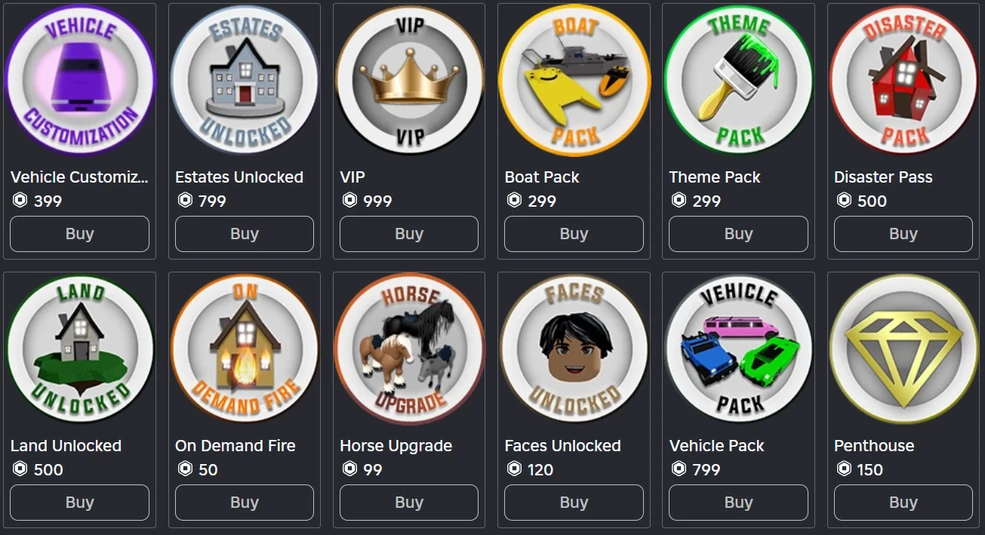
1. Game Passes
Game passes give players special abilities or perks.
Examples include:
- Double speed
- VIP areas
- Exclusive tools
2. Developer Products
These are items players can purchase repeatedly, such as:
- Extra lives
- In-game currency
- Power-ups
3. Premium Payouts
Roblox pays developers when Premium members spend time in their games.
The longer players stay in your experience, the more you can earn.
Tips for Making a Successful Roblox Game
Keep Your First Game Simple
Many new developers try to build huge projects immediately. Start small and learn the basics first.
Focus on Fun Gameplay
Players care more about fun gameplay than complicated graphics.
Update Your Game Often
Regular updates keep players engaged and improve your game’s visibility.
Create an Eye-Catching Thumbnail
Your game thumbnail is the first thing players see. A good thumbnail can dramatically increase clicks.
Common Mistakes to Avoid
Skipping the Planning Phase
Jumping into development without a plan often leads to unfinished games.
Making the Game Too Complicated
Large projects are harder to finish, especially on mobile.
Ignoring Player Feedback
Players often provide valuable suggestions that can improve your game.
Frequently Asked Questions
1. Can you really make a Roblox game on mobile in 2026?
Yes. While Roblox Studio itself isn’t available on mobile, tools like Studio Lite and virtual computers allow you to create and publish games from your phone.
2. Is Studio Lite an official Roblox tool?
Studio Lite is a Roblox experience created to mimic development tools for mobile players. It provides simplified building features and publishing options.
3. Do you need coding knowledge to create a Roblox game?
Not necessarily. Many beginner games use templates and free models. However, learning basic scripting can greatly improve your game.
4. Is using an API key safe?
Yes. API keys simply grant permission for tools like Studio Lite to upload games to your account.
5. Can you earn Robux from a mobile-created game?
Absolutely. If your game becomes popular, you can earn Robux through game passes, developer products, and premium payouts.
6. Is it better to use a computer for Roblox development?
Yes. A computer offers smoother controls and better performance, but mobile methods still work if you don’t have access to one.
Conclusion
Learning How To MAKE a ROBLOX GAME on MOBILE (2026) opens the door for millions of players who don’t have access to a computer. With tools like Creator Hub, Studio Lite, and virtual machines, building a Roblox experience from your phone is now completely possible.
While mobile development may not be as fast as using a desktop, it still allows you to experiment, create, and publish real games on the Roblox platform.
The most important thing is to start simple, stay consistent, and keep improving your skills. Every successful Roblox developer started somewhere — and your first mobile project might be the beginning of something huge.
If you keep learning, testing ideas, and listening to player feedback, your mobile game could eventually grow into a popular Roblox experience that earns Robux and attracts thousands of players.